How to execute Scala application in Visual Studio Code on Ubuntu is shown in this blog.
▼1. Run Scala code in Visual Studio Code on Ubuntu
Scala or PySpark application on Apache Spark cluster is generally used. how to deploy Scala application in Visual Studio Code on Ubuntu is helpful for the deployment of application on Spark cluster.
▼2. Prerequisites
2-1. Install Ubuntu 20.04.2 LTS
https://releases.ubuntu.com/20.04/
2-2. Install Visual Studio Code
https://code.visualstudio.com/docs/setup/linux
sudo snap install --classic code2-3. Install JDK
Install Java 8 openjdk x64 of zulu
mkdir  -p /usr/lib/jvm/
cd /usr/lib/jvm/
sudo wget https://cdn.azul.com/zulu/bin/zulu8.66.0.15-ca-jdk8.0.352-linux_x64.tar.gz
sudo tar -xzvf zulu8.66.0.15-ca-jdk8.0.352-linux_x64.tar.gz
sudo mv zulu8.66.0.15-ca-jdk8.0.352-linux_x64 java-8-openjdk-linux_x64
Set environment variables for the installed JDK
Adding below at the end of ~/.bashrc (vi ~/.bashrc)
export JAVA_HOME=/usr/lib/jvm/java-8-openjdk-x64/
Checking if $JAVA_HOME is correctly updated.
echo $JAVA_HOME2-4. Install Maven
Apache Kafka Word Count – Java No.44 “2-3. Installing Apache Maven”
2-5. Install Scala (Metals) release version
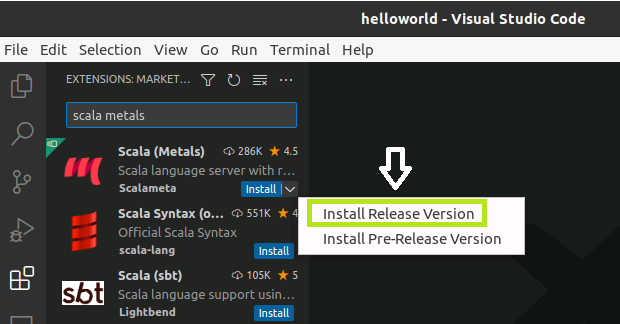
▼3. Run Scala application to print Hello World
3-1. Create a project by clicking Metals
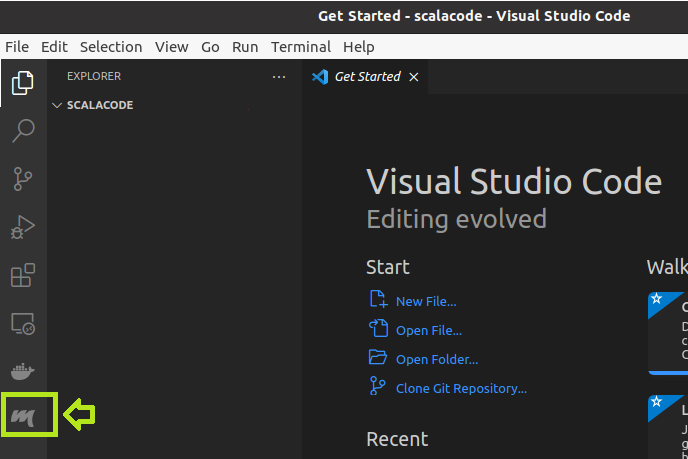
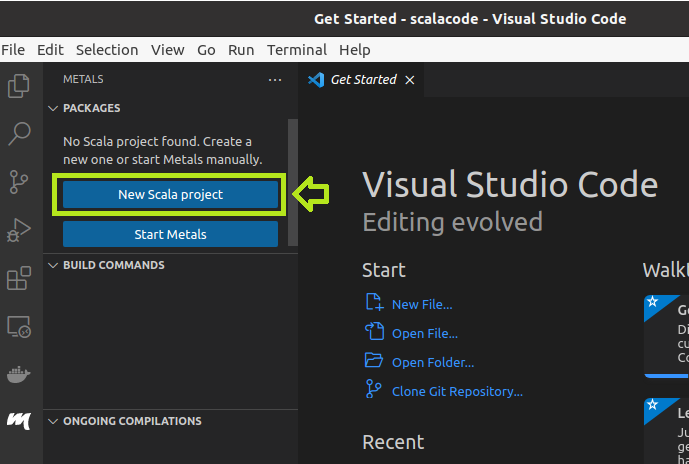
3-2. Use template of Scala3
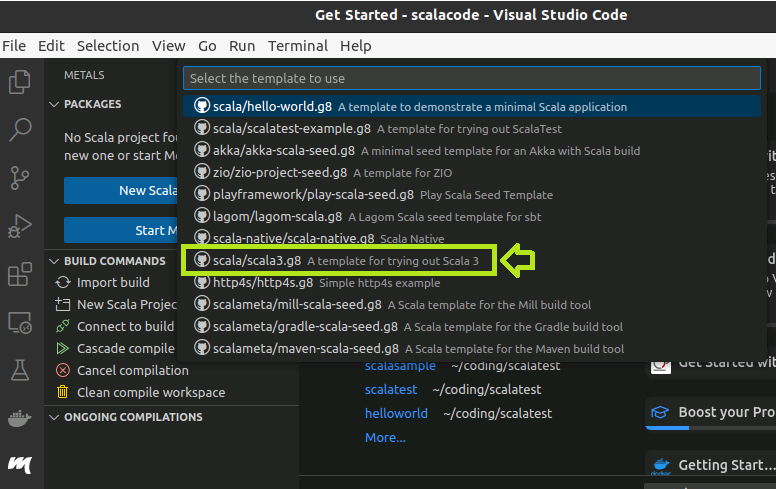
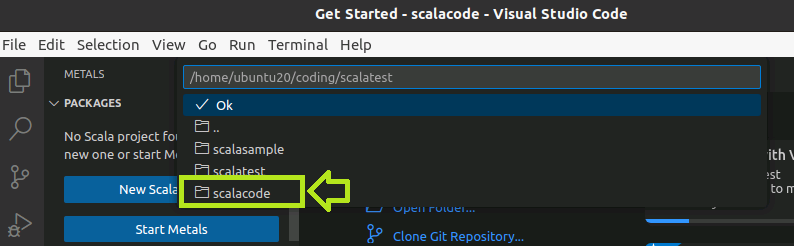
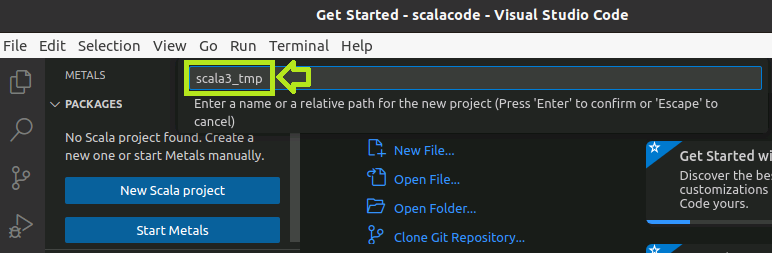
3-3. Set the path of a Scala project
In this case, the project will be created in scala3_tmp folder under scalacode folder.

3-4. Choose No about opening a new window

3-5. import build

3-6. Start Debugging
Run the existing Main.scala to print Hello World.


4. Preference
- https://marketplace.visualstudio.com/items?itemName=scalameta.metals
- https://scalameta.org/metals/docs/editors/vscode/
- YouTube Setting up Scala for Data Science in VS Code and IntelliJ
That’s all. Have a nice day ahead !!!